

Read the board and the offered pieces
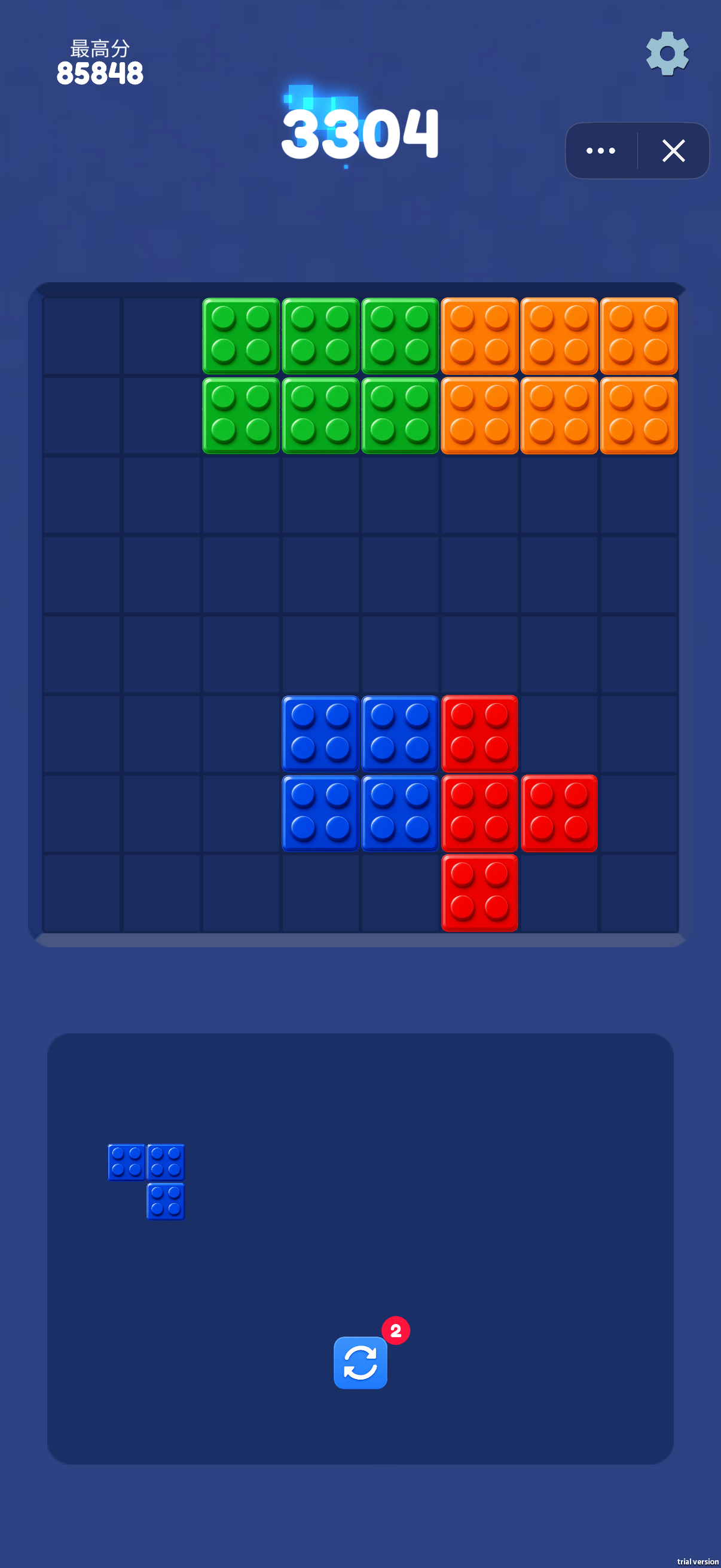
The board is a square-cell grid with a piece tray underneath. Compare each offered shape with the empty cells before placing it. In the first capture, the remaining blue piece has three cells arranged as a corner. Look for a matching outline rather than treating the piece as three independent blocks.
Plan lines instead of isolated gaps
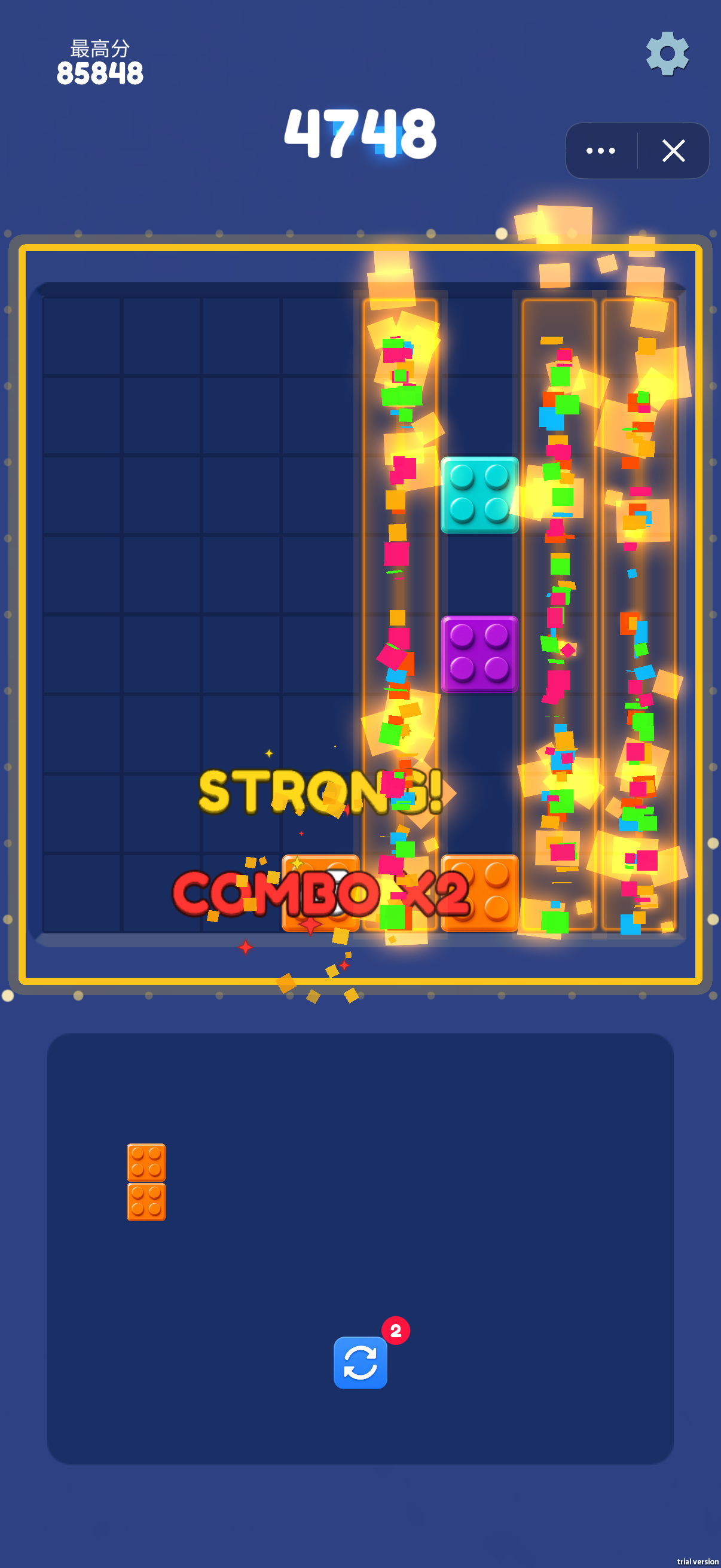
The second capture highlights several vertical columns during a clearing effect, with STRONG! and COMBO x2 feedback. Aim to complete lines while leaving a usable outline for the next shape. A tempting small gap can be a poor choice if filling it splits a large open area into pockets that the remaining pieces cannot use.
Check long pieces before spending open space
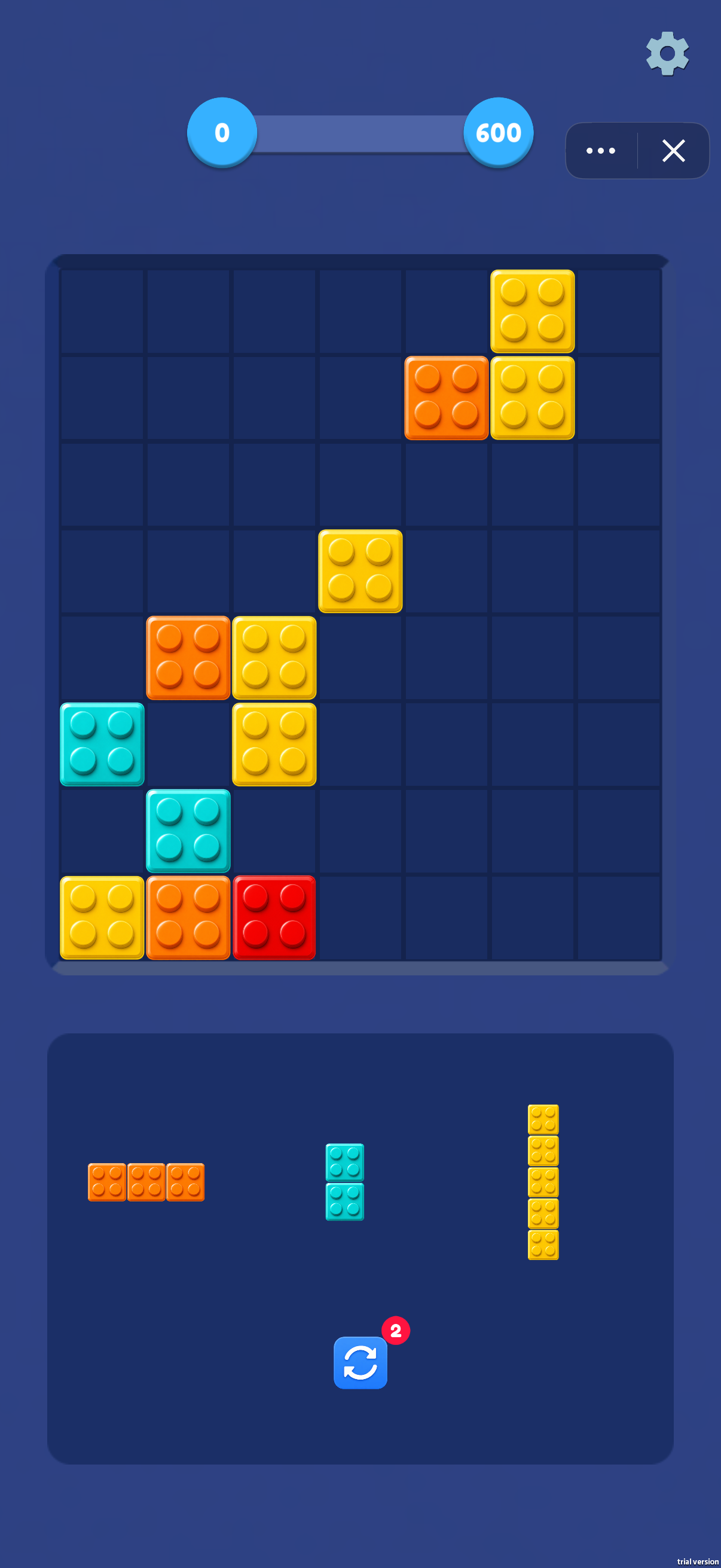
The third capture offers an orange horizontal three-cell bar, a cyan vertical two-cell bar and a yellow vertical five-cell bar. The five-cell piece needs an uninterrupted vertical opening in its pictured orientation. Reserve a suitable corridor before using shorter pieces in that space. This board has a top bar labelled 0 and 600, while the other captures show a score and best score; read the active screen rather than assuming every board has the same scoring display.
Keep score, best score and tools separate
The first two captures show current scores of 3304 and 4748, while the best-score label at the upper left stays at 85848. The circular-arrow tool below the tray carries a badge of 2 in all three images.
Screenshots explained
Loading, progress and support
Select Play above to load the game. If it stalls or inputs do not reach the game, try the direct link and include your device, browser and the point where loading stopped in a problem report.